
I love to learn. There is something comforting to me about knowledge, information and gaining new skills. My main source for learning has been the public library. In addition to physical books, the library has an incredible amount of online resources for learning as well, all for free!
Another free resource I recently discovered is Havenly’s training program they provide for anyone interested in learning how to create a floor plan using Homestyler and create a realistic 3D model of a design concept. You can learn more and sign up here.
The training is broken up into two components, 1) the basics of photoshop and 2) Homestyler.com. This was my first time using either program so I was a complete beginner. I got through all the training videos and practice lessons in about five days (staying up late at night after my baby went to sleep). Homestyler was definitely the easier application to use and while I didn’t have a problem learning photoshop, it is incredibly technical and a lot to remember. I found myself going back to the training videos a couple of times while I was working on my final project.
What I was able to do in Homestyler is create a floor plan that you can see in both a birds eye view and a 3D realistic view. Here is the unfurnished floor plan I created in Homestyler.
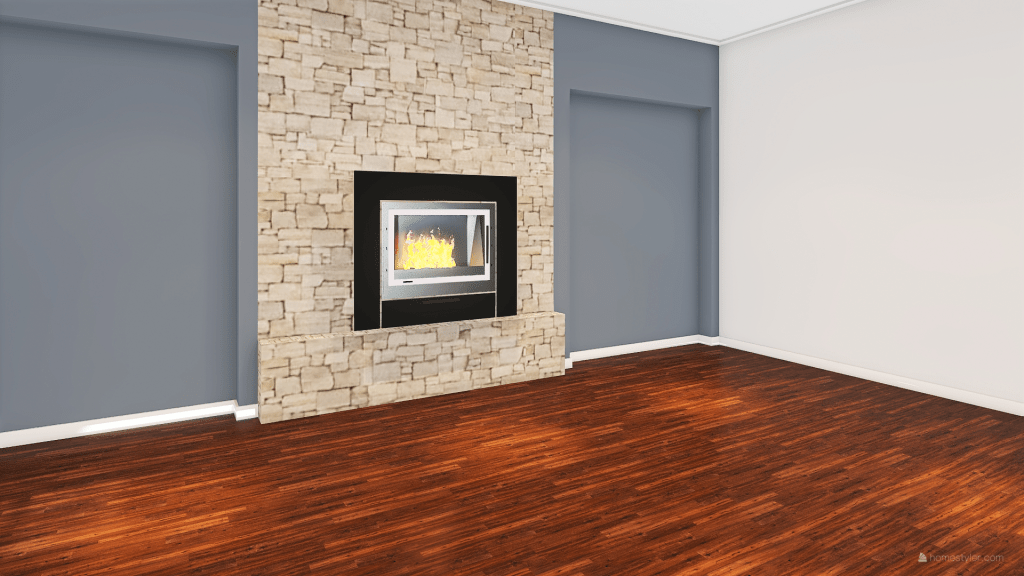
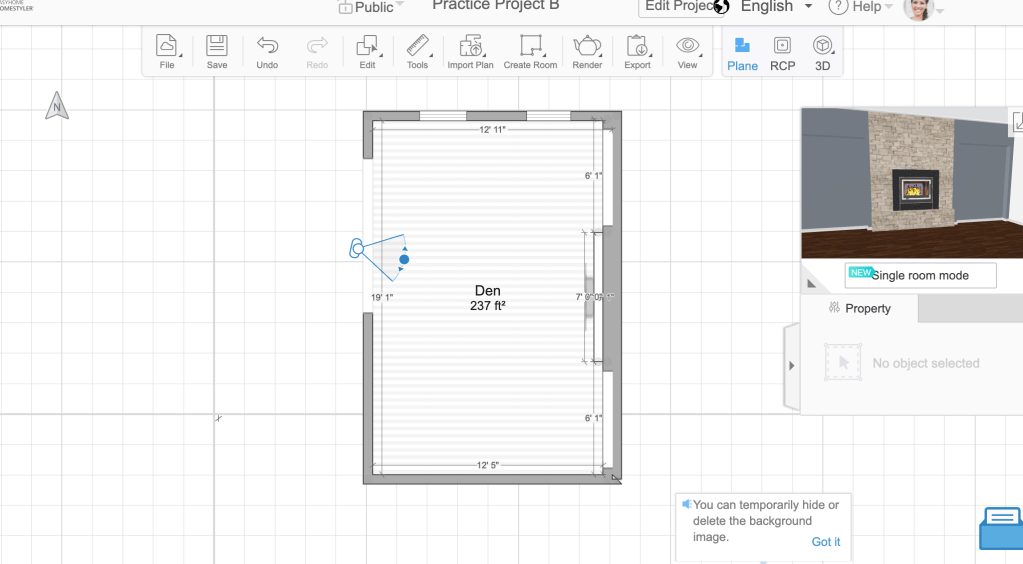
Creating something from a blank space is an incredible feeling; it makes me think about the scene in Frozen where Elsa uses her abilities uninhibited for the first time and creates a stunning ice castle. Every time I watch this scene with my daughter, I feel inspired. I want my daughter to grow up pressing into creativity and knowing what she is capable of, and I want that for myself too. Learning how to use Homestyler (and SketchUp too!) provides me with an outlet to see what I am capable of. I may not be building ice castles, but I’m only getting started!
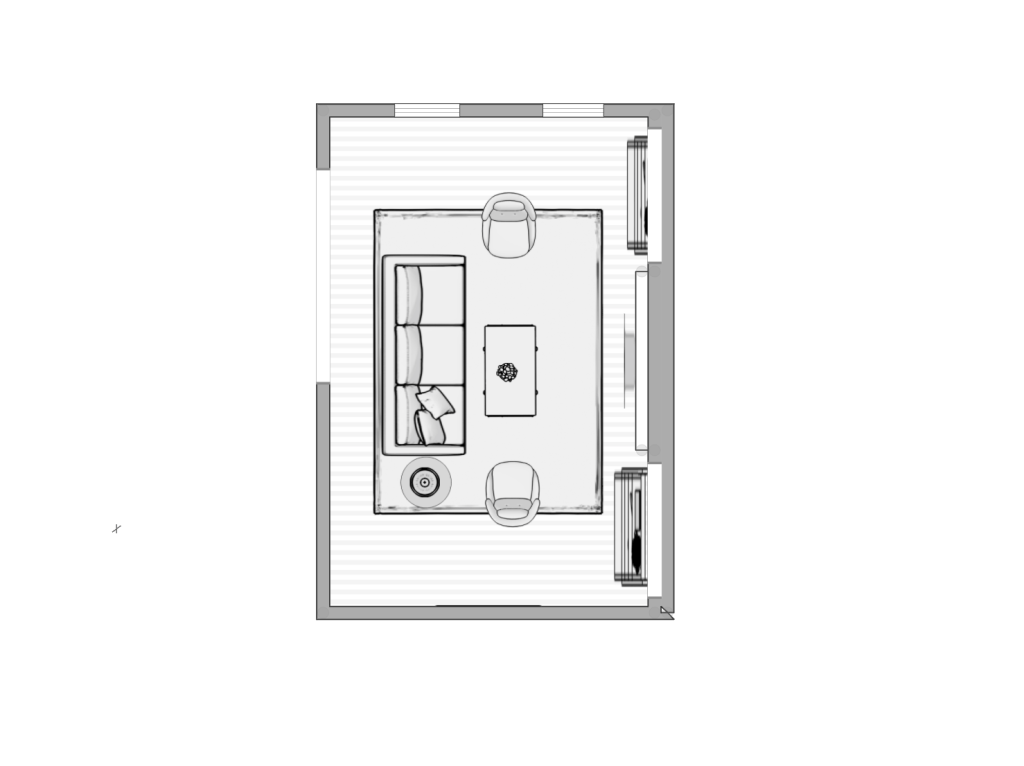
What I like about Homestyler is how easy it is to add furniture to a floor plan and move it around to discover the best layout. I can’t tell you how many times I have moved a sofa around a room trying to find the best spot for it. Homestyler gives you the ability to lay everything out and see it from multiple angles. Here is my room furnished in Homestyler.

The purpose of learning photoshop for interior design is to create a concept board for a design. Havenly takes it a step further by taking the renderings of the floor plan from Homestyler and manipulating them in photoshop with the actual items that you will purchase for the design of your room. The result is a realistic picture of your redesigned room, so there is no guess work for the client. The client knows exactly how to style that new coffee table! Here is a picture of my Homestyler rendering manipulated in photoshop.
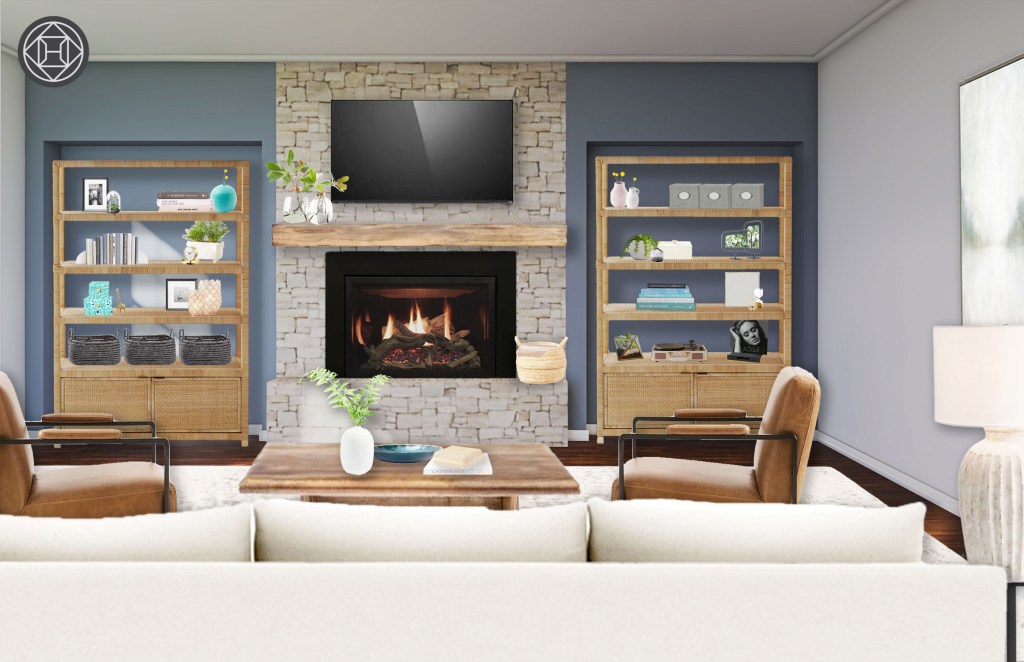
What I loved about this process was the online shopping without spending any money or even looking at the price tag. I just grabbed pictures of items I liked, doctored them in photoshop and added them to my design concept. At one point, I started to get carried away so I had give myself a fake client to apply some parameters. What I decided upon was a client who wanted a relaxing space to read, listen to vinyl LPs, watch TV and just decompress after a long day. I imagined them sitting on the sofa and staring at the various greenery and cozy fireplace to process the day.
If you’re looking to learn something new, I highly recommend taking Havenly’s training program. There is even a bootcamp option if you want more structure and access to a slack channel! The training was worth the time and I plan on using this format for future projects that I will share on the blog, so stay tuned! More beautiful things to come.

 HOP Design